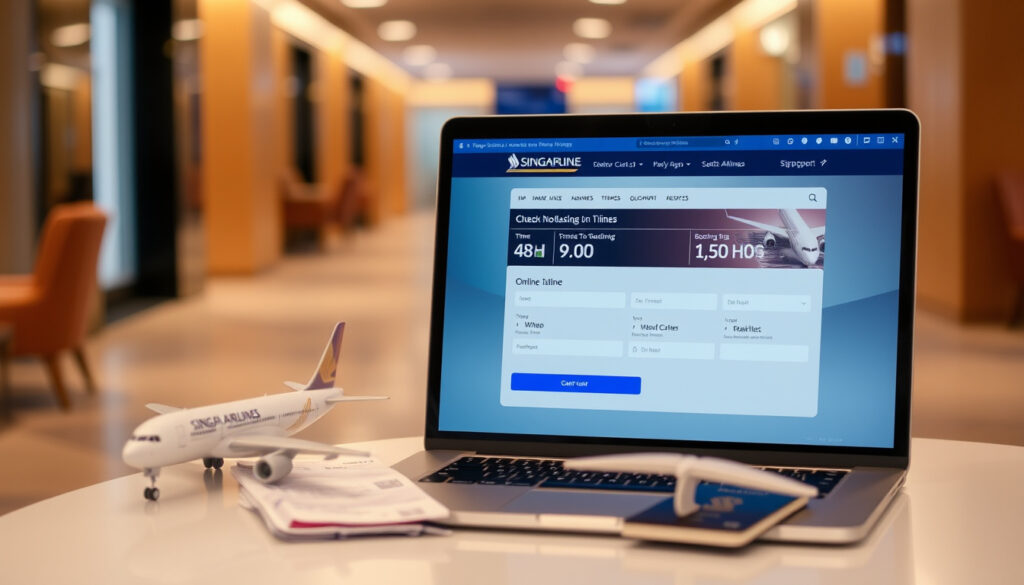
SIA Online Check In: 48 Hours to 1.5 Hours, Steps & Tips
Few things throw off a smooth travel day quite like a last-minute scramble at the check-in desk. Whether you’re a KrisFlyer regular or flying SIA for the first time, knowing exactly when and how to check in online can save you serious stress — and maybe a longer queue. This guide walks you through the official SIA online check-in window, step-by-step process, common hiccups, and the trade-offs between checking in online versus at the airport.
Online Check-in Window: 48 hours to 1.5 hours before departure · Auto Check-in Option: Available after booking · Mobile App Check-in: Supported via SingaporeAir app · Seat Selection: During online check-in · Primary Source: SingaporeAir.com official pages
Quick snapshot
- 48h–1.5h window before departure (Singapore Airlines Official Site)
- Seat selection included (Singapore Airlines Official Site)
- Digital boarding pass available (Singapore Airlines Official Site)
- On-the-go convenience (Singapore Airlines Official Site)
- SingaporeAir app supported (Singapore Airlines Official Site)
- Quick process via KrisFlyer login (Singapore Airlines Official Site)
- For baggage drop needs (Singapore Airlines Official Site)
- Document verification on-site (Singapore Airlines Official Site)
- Last resort if online unavailable (Singapore Airlines Official Site)
- Proceed to gate with boarding pass
- Baggage drop if checked bags required
- Possible desk visit for document issues
These specifications come directly from Singapore Airlines’ published policies and apply consistently across their global sites.
| Label | Value |
|---|---|
| Check-in Opens | 48 hours before flight |
| Check-in Closes | 1.5 hours before departure |
| Methods | Website, app, auto |
| Seat Selection | Available online |
| Boarding Pass | Digital or printed option |
| Baggage Drop | At airport desk if needed |
How Soon Can You Check-In Online with Singapore Airlines?
Singapore Airlines opens online and mobile check-in exactly 48 hours before your scheduled departure and closes it 1.5 hours before wheels-up. That gives you roughly 46.5 hours of window to complete the process from any device with internet access. According to the Singapore Airlines official site, this applies to both the website and the mobile app equally.
Check-in Time Windows
The 48-hour opening is firm — you won’t be able to access the check-in function before that mark. The 1.5-hour cutoff is equally strict; SIA does not allow online check-in to close later than stated, so timing your check-in early is genuinely advisable rather than optional. This window is consistent across their global sites, including the US version of the website.
Auto Check-in Details
For passengers who prefer not to manually check in, Singapore Airlines offers an auto check-in option that activates after you complete your booking. This feature, available through your KrisFlyer account or booking confirmation, sends your boarding pass automatically when the window opens — a convenience especially valuable for frequent flyers managing multiple itineraries. PPS Club members get additional support options including an online call feature available through the SIA app in selected countries.
The pattern here is clear: the window is generous but non-negotiable at the closing end.
How Does SIA Online Check-In Work?
The process is straightforward if you have your booking reference and KrisFlyer credentials ready. Log in to the SingaporeAir website or open the SingaporeAir app, navigate to the check-in section, and enter your booking details — the system pulls your itinerary and guides you through seat selection, meal preferences, and boarding pass generation. The SIA website confirms that you can manage seats, meals, baggage, and flight changes directly through the app once logged in.
Step-by-Step Process
- Visit singaporeair.com or open the SingaporeAir mobile app
- Log in with your KrisFlyer or PPS Club credentials
- Select “Online Check-in” from the Manage Booking section
- Enter your booking reference and last name
- Review your flight details and confirm passenger information
- Select or change your seat if not already assigned
- Confirm and retrieve your digital boarding pass
- Proceed to the airport with your boarding pass ready
Using the Website or App
Both the website and mobile app offer identical functionality for check-in. Trip.com’s step-by-step guide confirms the process is essentially the same across platforms — visit the SIA website or app, enter booking details, and follow the prompts. The SingaporeAir app, available on both iOS and Android, allows you to store your boarding pass digitally and access it even offline. Logging into your SIA app profile is required for optimal performance and faster access to booking features.
Apple App Store reviews note that the cursor can disappear when entering details in the app, creating frustration during the check-in process. The implication: if you encounter this issue, the website or a fresh app reinstall typically resolves it faster than troubleshooting the cursor itself.
Is It Better to Check-In Online or at the Airport?
The answer depends entirely on your specific situation — whether you have bags to check, need document assistance, or simply want to minimize time spent at the terminal. Online check-in excels when you’re traveling light, while airport check-in remains necessary for passengers with special circumstances or those ineligible for the digital process.
Upsides
- Saves 15–30 minutes at the airport
- Seat selection available immediately
- Digital boarding pass ready on your phone
- Can skip kiosk lines entirely
- Process from anywhere with internet
Downsides
- Baggage drop still requires airport visit
- Document issues need desk assistance
- App and website occasional glitches reported
- US-bound flights sometimes show check-in errors
- Not available for passengers under 18 traveling alone
When to Choose Each
Choose online check-in if you have no checked luggage, your travel documents are in order, and you’re comfortable with a digital boarding pass. Choose airport check-in if you’re dropping bags, traveling with complex visa situations, or experiencing any issues with your booking that require staff assistance. The SIA official policy confirms airport check-in is recommended for passengers ineligible for the online option.
Why Can’t I Check-In Online with Singapore Airlines?
Several scenarios can block your online check-in eligibility even when you’re within the correct time window. Understanding these restrictions upfront prevents frustration and helps you plan an alternative approach in time.
Common Issues
- First flight operated by a different airline — check-in must be done on the partner airline’s website even if your booking code starts with SQ
- Preceding flights in the same booking not yet checked in — all prior flights must be checked in before SIA online check-in becomes available
- Passenger is under 18 and not accompanied by an adult over 18
- Scoot-operated first flights — only eligible if transiting to SIA, E-ticket starts with 618, and maximum 5 passengers per same booking
- Name or booking reference mismatch between your ticket and the system
Solutions from Forums
Frequent flyers on TripAdvisor report that US-bound SIA flights occasionally display “check-in cannot be completed” messages despite valid visas and documentation. The Straits Times documented user complaints about the SIA website logging people out during the payment process for bookings — a separate but related issue that can create friction during the check-in flow. Forum users recommend verifying your booking details match your ticket exactly, using a current browser, and clearing cookies if the site behaves unexpectedly.
For app-specific issues, YouTube troubleshooting guides outline several fixes: update the SingaporeAir app to the latest version via your app store, clear the cache through your phone’s settings, force-close and restart the app, or as a last resort, uninstall and reinstall it entirely. One video recommends clearing both cache and data, then reinstalling and restarting your device if problems persist. FlightsMojo confirms that checking device compatibility and using the latest browser version are foundational troubleshooting steps.
Even after completing online check-in successfully, some passengers on forums report being directed to the airport desk anyway — particularly for US flights or when document verification is required. Passengers should keep their boarding pass ready but budget time for a potential desk visit, especially when traveling to countries with stricter entry requirements.
Do I Need to Print My Boarding Pass If I Checked In Online?
Singapore Airlines accepts digital boarding passes at most airports, meaning your phone screen is typically sufficient — but having a printed backup remains advisable in specific situations. The SIA official guidance confirms that digital passes work for most destinations, though individual airport requirements can vary.
Digital vs Printed Options
The SingaporeAir app generates a digital boarding pass that can be stored in Apple Wallet, Google Pay, or within the app itself. This digital version displays your seat, gate, boarding time, and barcode for scanning at security and boarding gates. Trip.com’s guide confirms the process generates a pass you can save directly to your phone.
Airport Requirements
Most SIA destinations accept digital boarding passes, but some airports — particularly smaller regional hubs or those with specific security protocols — may require a printed copy. As a general rule, printing your boarding pass is recommended if your destination is uncertain or if you’re traveling through an airport you’re unfamiliar with. The SIA Help Centre confirms that damaged baggage claims must be filed within 7 days of arrival through their official support channels — a separate process from check-in but worth knowing if your printed pass or luggage handling becomes an issue.
SIA Online Check-In vs Airport: Side-by-Side Comparison
Six key factors differentiate the two approaches, with online check-in leading on convenience while airport check-in retains critical advantages for specific traveler profiles. For those flying to Madurai, checking the Singapore Madurai flight status online is a good idea. Singapore Madurai flight status
| Factor | Online Check-In | Airport Check-In |
|---|---|---|
| Time Required | 5–10 minutes from anywhere | 20–45 minutes at terminal |
| Baggage Drop | Still required at desk | Included in process |
| Document Verification | Not available online | Handled on-site |
| Seat Selection | Available during check-in | Available but limited by availability |
| Boarding Pass | Digital or printed option | Printed only |
| 24/7 Availability | Only within 48h–1.5h window | Opens 3h before departure |
The implication: online check-in handles most of the process for carry-on travelers, but the 20% requiring human interaction — baggage and document verification — still drives many passengers to the airport desk even after completing online check-in.
The Road Ahead: Singapore’s 2026 Travel Rule
Starting in 2026, Singapore’s Immigration and Checkpoints Authority will implement new pre-departure verification procedures that could affect how online check-in functions for travelers heading to or through Singapore. According to Travel and Tour World, the new rule allows ICA to notify airlines via NBD (No Boarding Denial) notices if a passenger does not meet entry requirements before departure.
The system will cross-reference flight manifests, the SG Arrival Card, and passport or visa data to identify potential document issues before travelers reach the airport. For SIA passengers, this means online check-in may eventually include additional verification steps or could be blocked entirely if document discrepancies are detected early. Indian travelers and others transiting through Singapore should pay particular attention to this change, as pre-departure document validation becomes mandatory rather than optional.
The 2026 rule effectively moves document verification earlier in the travel process — potentially into the online check-in window itself. Travelers should ensure their passport, visa, and SG Arrival Card are current and accurate well before attempting to check in online.
Singapore Airlines states: “Check in online or on-the-go with the SingaporeAir mobile app. It’s quick and convenient, plus you can do it anywhere and in advance between 48 to 1.5 hours before your flight departs.” Singapore Airlines Official Site
Forum contributor on The Straits Times notes: “Among the many issues long-suffering users face include being inexplicably logged out of the website when one tries to pay for flight bookings.” The Straits Times (Reader Forum)
Summary
Singapore Airlines online check-in works well for the majority of passengers who are eligible and have straightforward travel needs. The 48-hour to 1.5-hour window gives you ample time to complete the process, and the option to select seats, manage meals, and generate a digital boarding pass makes the online route genuinely convenient. App and website glitches do occur — clearing cache, updating the app, or switching to the website typically resolves them. For passengers with bags, document concerns, or bookings involving partner airlines, the airport desk remains a necessary fallback.
Travelers who neglect to verify their passport, visa, and entry requirements before the check-in window opens risk being blocked from online check-in entirely — a particular concern as Singapore’s 2026 pre-departure verification rule takes effect.
Related reading: Marina Bay Sands Theatre Guide · Gardens by the Bay Ticket Price
flightsmojo.in, youtube.com, travelandtourworld.com, youtube.com, tripadvisor.ie, youtube.com, singaporeair.com, tripadvisor.com, singaporeair.com, sg.trip.com
Singapore Airlines opens online check-in 48 hours before departure, with steps mirroring those in the SIA boarding pass guide that help avoid airport queues entirely.
Frequently asked questions
Can I select seats during SIA online check-in?
Yes, seat selection is available during the online check-in process. Once you’ve confirmed your booking details, the system displays available seats and allows you to choose or change your seat assignment before generating your boarding pass. This is included at no additional cost for most fare types.
What if I have baggage for SIA online check-in?
If you have checked luggage, you’ll still need to visit the airport baggage drop counter after completing online check-in. Online check-in handles document verification and boarding pass generation, but physical bag drop requires an in-person visit. Budget additional time at the airport for this step.
Is auto check-in available for Singapore Airlines?
Yes, Singapore Airlines offers auto check-in that activates after booking. This feature, accessible through your KrisFlyer account, automatically sends your boarding pass when the check-in window opens. It’s particularly useful for frequent travelers managing multiple bookings.
How to use Singapore Airlines app for check-in?
Download the SingaporeAir app from your device’s app store, log in with your KrisFlyer or PPS Club credentials, navigate to the check-in section, and follow the prompts. Troubleshooting tips include updating to the latest app version, clearing the cache, force-closing the app, or reinstalling if issues persist.
What happens after SIA online check-in?
After completing online check-in, you’ll receive a boarding pass — digital or printed. Proceed to the airport with your boarding pass ready, go through security, and board at your designated gate. If you have checked bags, stop at the baggage drop counter first.
Can I check my SIA booking online?
Yes, the SIA app and website allow you to manage your booking, including viewing flight details, selecting seats, ordering meals, and checking in. Log in with your KrisFlyer credentials to access these features any time after booking.
Is online check-in mandatory for SIA international flights?
No, online check-in is optional but highly recommended to save time. It closes 1.5 hours before departure, so passengers who miss this window or prefer not to use it must check in at the airport counter. Some passengers report needing to visit the desk even after completing online check-in if document issues arise.
More related posts
 Aston Villa vs Man City lineups: confirmed XI and analysis
 Check Traffic Offence by Vehicle Number – Parivahan Portal Guide
 916 Gold Price Today Singapore: SGD 85.00 per Gram
 West Coast GRC: MPs, Boundaries & 2025 Changes
 AC Milan vs SSC Napoli Lineups: Starting XI & Analysis
 Microsoft Office Free Download: Official Ways for 2024
 Coffee Bean Bedok Mall – Hours, Menu, Location and Reviews Guide
 Yo-Chi Orchard Central Reviews – Customer Insights on Flavors, Prices and Setting
